Posts Tagged ‘reading’

What If Reading the Bible on My Mobile Was Like Stepping Into the Middle of a Video

Thursday, May 24th, 2012

Mobile phone in hand with green screen
I have had this article about embodied cognition from Contents Magazine sitting in a tab or Evernote for the better part of two weeks. Each time I glance and reflect on it, I am left asking the question “why is the Bible I read on my digital devices so flat?” I have my own project (All Books) that in some ways seems to be addressing a temporal association to the text, but really, much of what we interact with in the Bible isn’t text, it’s emotion, space, activity. 

There is a sense to find your imagination around you while reading the Scriptures, but very little that you can do until you read all of the associated historical, sociological, and theological commentary around it. In a real sense, you have to create the world around which you can view Scripture within its lens (that is, if you are event interested in hearing it in the voice that it was written in). But, isn’t that kind of looking at things the wrong way – fitting that world into your own? What if the engaging of a Bible on a digital device (a digital window if you will) were more like stepping in on a conversation happening, and your digital window wasn’t text at all, but a series of still and moving images, mono and stereo audio – where you were always coming into the middle of a moment, no merely being in the seat of the narrator?

I am thinking almost in the sense that each of characters or books in the Bible are a channel. Each of these channels plays content that maps directly to the written text, but loops mich like an audio playlist. You only get to choose the character or book though. As soon as you make that selection, you are locked into wherever that story is happening right at that moment. This would be something like the Bible Experience audio series, but instead of simply walking into something narrated, you would literally be coming into still images or a performed program.

If you will, recapturing some of the creative energies that are used to display and tell the events of Scripture in layers, leaving the text as perhaps a caption or linked reference (similar to the Info/Guide button on a cable TV station). Again looking at engaging the text not from the perspective of studying, but more from the attitude of tuning into see what this channel of life is up to.

I know, it sounds like basically taking TV/YouTube as just running it all the time. But, I am asking for a bit more. Where the viewer doesn’t have control of where they come into the scene. Where there is no rewind. What if when you took your mobile, while reading in your favorite bible app, from the position of having your head down, to picking your head and mobile up (similar to holding it for taking a picture) and then Scritpture that you were just reading started to play like a movie in front of you. That’s what I am thinking here.


The Firehose that is MMM

Tuesday, April 24th, 2012

The other week, we were approached with shuttling some of our content to a mobilized service. That service would basically take the RSS feed and then do some optimizations in order to make it work best for its platform.Well, we’ve got a lot of content here, and one of the items that came back to us was that we’ve got a lot of content and it makes it hard for them to figure out the best way to present our content. That’s a problem, but also speaks to the nature of the content here at MMM, and some of what has been happening behind the scenes to make the experience of reading the most relevant content more possible.

Developing The Firehose

Back when MMM got started online (April 2005), we had a model that was basically a copy of many of the high-traffic websites of the time: publish, publish, publish. I can remember at one point putting up 5-6 pieces a day, and many times unique pieces. For those not knowing what MMM was (amazing how folks stumbled upon us via a simple search), this wasn’t a bad thing. But over time, that got to be a bit much. We went to a single-post-a-day schedule many years back, and for the most part have been able to keep a consistent and constant stream of content flowing.

With that change in frequency came a change in the type of writing. I noticed from the analytics that the longer posts that we made had people stick around a bit longer. And not just to read that post, but they were most likely to go visit someplace else on the site. I shifted into making long-form content, best suited for contemplative reading – rather than quick skimming (other tech sites went this route) – but not to the length of what would be found on many theological sites (dissertations I tell ya). That change was also good for consistency, but a pain in the butt for organization.

The Battle to Organize Content

The move to WordPress from Blogger presented a chance to address some issues in terms of how content was organized on the site. At the time of that move, there were almost 3000 posts published and not quite a half of them were tagged/categorized. Google moved Blogger to a tagging system in the midst of our writing, and – well, its a lot of work to go back and retag content. I did a retaxionomy of the content based around some tighter editorial needs in that move to WordPress, and for the most part, its served us well.

What you might not have noticed is that some of those old posts from Blogger (see, http://archived.mobileministrymagazine.com) have been slowly making their way into WordPress. Unfortunately, the amount of content and structure of content wouldn’t import into WordPress, so each post has to be individually added to WordPress, retagged, and then categorized. That’s just something that will continue to take a while. In the meantime, there’s new content being produced that meets the current organizational schemes, in that long-form method, that’s usually quite unique, and generally posted on a consistent basis.

See the fun?

Steps of Manage the Firehose

Now, you would think that with some background in content management and information architecture that we probably shouldn’t be in this situation – but the fact of the matter is that MMM has changed over the years, as has its audience, as has the content. There are some streams of content not as often posted here anymore (direct software and hardware reviews), and there are others which tend to get much more the light of day (processes and UX matters). Where the content here becomes usable for you is in two offerings – based on the detail of the types of categorizing that happens here:

  • Search
  • RSS

Search is probably the most important (and most used) functional feature of this resource. Mainly because it is able to not only deal with the content that we’ve organized, but also dig a bit more into what we haven’t organized (thanks Google and WordPress). One of the pieces that is (unfortunately) missing from our mobile website is a suitable search interface (this is present on the alternate mobile website however). Not sure how and when that could be addressed on the mobile site, but its clear – at least from those of you who come here via Internet Explorer/Firefox/Safari that its a needed feature in terms of getting around.

RSS is the quieter feature used to manage the amount of content here. The way its used is actually a crafty by-product of the tags and categorization system present within WordPress. Every category and every tag points to a page that has its own RSS feed. This means, if you are looking at a subject area (perhaps Mobile in Missions/Evangelism for example) and you want to just get the updates for that stream of content only as it is published here, then all you need to do is either click on the RSS (orange colored) button in your URL bar, or take the URL for that page (http://mobileministrymagazine.com/tag/mobile-in-missionsevangelism/) and just add “feed/” to the end of the address and you have just the data stream for that page. Nearly every page has that functionality built in – and I’ve just not done a great job in talking about it.

The Missteps in that Firehose

The problem with things comes on some of our static pages (Bible apps, Case Studies, etc.) of which there is a listing of content, but those items are merely just a listing. There wasn’t a design to that set of data other than just putting it out there, making sure it linked to the right places, and sat under the correct subheading. That’s now biting MMM in the butt. Especially with the Case Studies/Resources page, there’s just an increasingly deep listing of content, and outside of searching on the page (click F3 on your keyboard if you are on a laptop and you can search within any single webpage), you just will have a hard time of finding what you are looking for.

WordPress is a decent content management system. However, making it work for this application (a multi-contextual listing of resources) would be stretching it a bit – even with extensions. The goal for each page is to be available, but to also be easy to manage. Until recently, that’s not been a problem. The query from the mobile services provider poked at that crack in the wall and we’ve got to figure something to do around it.

One of the solutions is to republish every resource and link on those static pages as a posting with their own set of categories/tags, and then build a custom page that would be able to contain those items. For those reading the blog, that’s going to be a lot of content coming through – and while some might be good to see, there are a lot of links to republish there. Another solution is to use the Links feature within WordPress, and then create a series of custom pages that would display those links as organized. Some of the work to do that has been started (in the background), but I’m still not sure what the final result will look like – though it will be a breeze to manage.

How You Can Help

As you can see, we are indeed aware of the amount and level of content that’s published here. Contrary to some opinions, we are quite focused as to what gets published and how it stays relevant to the overall purpose of this magazine. What we don’t know is how you engage the content here? That kind of information would help us better address what comes out of this hose, and how to continue to make sure what comes out is valuable. With that said, a few questions:

  • Do you use a mobile app to view MMM? If so, which app(s) and why?
  • Do you use an RSS reader to view MMM (which, why)?
  • Do you use either the normal or alternate mobile websites?
  • Do you use the email subscription via Feedburner to read content? If so, how do you archive, organize, resource those emails?

Thanks for your feedback on this. And if you have other ideas on how we can better manage the amount of content that comes here, do feel free to chime in via an article comment, the contact form, or Twitter (@mobileminmag)


Siine Writer and UI Design for Mixed Media Resources

Sunday, October 16th, 2011

For a number of years, we’ve been talking about how Bible applications need to do a better job of addressing the non-pastorial perspective for their applications. We’ve talked about both content and the over all user experience, but rarely have we been able to do more than just instigate more chrome, rounded corners, or a faster search. Almost non of the Bible applications currently available take into consideration the fact that there are more people who own and use mobile devices than those that can read (by stat: the Orality Network speaks that about 60% of the world is or chooses to be illerate; there are nearly 55% of the world’s population that has a mobile phone* (hardware, not account) – overlap, not symmetry).

When looking at Siine Writer and its approach to creating a keyboard that’s based around iconography, I smiled because there seemed to be some develoeprs/UI designers who get it – on a mobile device, context-tuned entry is more powerful the less the user has to do to invent the context they are inputting.

So here’s your challenge. You have a library of resources, and don’t have the time to go about creating read-first interfaces that respect every language you are trying to reach. Can you create instead an icon (and color pallete) driven approach that is better able to lead towards that expected experince that person should have towards your application? Do you know the context of those whom you are building this solution for to do this? Or, does your mobile ministry approach need to start more with analysis of the people group, leaving you less time to make mistakes or do extra work?

If you are looking to build or deploy updates to your Bible/Bible-related applications for more than just the 120 or so trade languages, I’d encourage you to take a look at Siine Writer, accessibility best practices (for example, IBM’s listing), and even conversations that designers and others have about icongraphy and culture. Speaking from experience, its very hard to create interfaces that convey meaning when you are used to letters, words, and phrases to do so. However, the Bible, and specifically its application into how it is applied today, endears us to have to consider context just as much as we’d consider content.

For those of you already thinking and working down this path, here’s a recent tweet with some links to icons, icon galleries, and icon design practices that should add to your efforts:

Khoi Vinh (@khoi) – Helpful replies to my earlier tweet about icons: iconfinder.com, iconspedia.com and a post at Owltastic. Thanks everyone.

~ Siine Writer found via Ubergizmo & Techcrunch

*Update: got a question via email about the 55% number. That data is in the ITU datasets. However, it was also published by Tomi Ahonen in Feb 2011.


Looking at the Perspective Amazon’s Kindle Gives

Thursday, October 6th, 2011

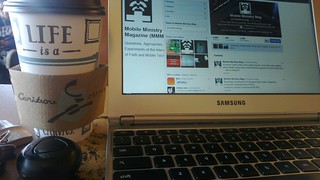
When I am at a coffeeshop, I usually have my mobile to the side of me and my iPad in front of me -occasionally with my wireless keyboard. At times, at least when I’m typing on the keyboard, I’m stopped to ask if I like my iPad, or how I get along with the keyboard. On one particular day, a woman asked me my opinions on the iPad as she was considering one. It just so happened that less than an hour before she asked me that, Amazon announced its new slate of Kindle reading devices (Kindle, Kindle Touch, Kindle Touch 3G, and the (color/Android) Kindle Fire). I mentioned to her that she might want to consider the Kindle – and it was apparent that she had. And then showed her the image seen on this post – her expression and the conversation that ensued afterwards got me thinking about how leaders, technologists, and then everyone else tends to consider technologies like what is exposed with Amazon Kindle.

For instance, the woman asked me what it is that I do with my iPad (reading, drawing, then everything else was my response). I showed her my artwork, and then the notes that I’d written at a recent church visit. The notes impressed not just because they were handwritten, but because she could see the point in not just having an electronic bible, but an ability to write notes, highlight, and then have those available on any computing device she owned. It sounds almost normal to many of us, but the perception that you can disconnect content from the devices you read it on is still a new idea to many.

She asked about saving the data on my iPad and how much space it takes. I explained to her how I don’t save a lot on the device itself as I use the entire Internet as my hard drive. We talked about how Amazon, Dropbox, Microsoft, and others essnentially give you their servers to use as the hard drive. In that case, its not always a limitation of the space that you worry about, but how you are able to control access, security, and what you are comfortable with storing on another company’s hard drives (servers). She noticed that on the pages for the new Kindles that there was no mention of the size of the internal storage and asked why that could be. I told her how Amazon is positioning their servers to be your hard drive – essentially making the Internet your hard drive. Her expression again amazed at not considering before that you could take what seems to be a normal computer function and turn it on its head.

So what becomes of how we talk and demonstrate Biblical texts? Could we have moments where instead of simply telling people to turn to such and such a passage that we could have shared that bookmark via YouVersion or another Biblical service. Or, maybe as a minister who is an aspiring author, do we learn and utilize services like Amazon Kindle Direct Publishing and Lulu to disseminate our locally-created materials instead of or in addition to the traditional publisher route? Obciously, there isn’t a need to do these kinds of things all the time, but devices like the Kindle will mean that we do have to consider that our use of the technologies available will endorse the purcahsees that many are already making.

Or, we can choose to not see efforts like the Kindle as being useful or beneficial for our respective audiences. Which is ok. But, if you are in the business of content creation or teaching, what kind of perspective will that lend to those whom you say you lead?

~ picture via Gizmodo


An Unexpected Use for User Notes

Monday, June 6th, 2011

I don’t like printing things. To me, printing out materials for something that is going to be used one time and then tossed away is a waste of both paper and ink – materials I don’t feel like spending a lot of money on. For all my antagonism towards printing, however, even I have to admit that there are times where a printed sheet often managed to get out of the way better than having a few gizmos with me.

Funerals have been a particular conundrum for me. As far as I’m concerned, my job at a funeral is to offer a small glimmer of hope of Gospel and then get out of the way to help people express their grief. It’s a formula which works for me. For several years I was fine printing out my short order of worship for a funeral, using my iPaq/Palm/iPod Touch/iPad to read the Scripture passages. This worked ok, even though I felt like I was juggling too much. The arrival of the iPad on the scene, however, led me to cease the printing portion of the movement. Instead, I’d put the order on my iPhone (in Airplane mode) and read the Scripture from the iPad. I hated it. If I felt like I was juggling too much with a piece of paper – using two electronic devices felt like I was doing an acrobatic routine.

My biggest problem sprang from the reality that devices which were so good at getting out of the way were suddenly in the way. I’d have to wake one device, and then another, and suffer the odd looks that people would give when i unloaded multiple computers on to the podium. It wasn’t good.

My recent embrace of user notes, however, has now afforded me a solution. Olive Tree’s reader allows me to create a user note without linking it to a verse reference (which, ironically, is something I want to be able to add manually so I can edit user notes in two pane mode). This allows me to put the order of worship in a second pane, and access the Scripture readings in the first. I tried this at a funeral last week and finally found myself free of any sense of juggling. If you have an iPad, and you’ve been leery of using it in a pastoral context such as a funeral or wedding, you might want to give this a try.

Previously posted at Painfully Hopeful.


Using A Print (Paper) Bible Alongside the Digital

Tuesday, May 24th, 2011

LunchOver at the Laridian blog, a post about using a print bible alongside a digital bible caught my eye. Here is a snippet:

This year was different though. Maybe it was the fact that we were going through the book of Isaiah or maybe I’m not so rigid anymore, but towards the end of the year I dusted off my print Bible and started using it both in answering my lessons and in class, along with my phone. I really liked having the whole passage open for review. That is the one thing missing on my phone (although an iPad could help with that).

My secret weapon though is still my iPhone. While we can’t consult commentaries and reference material, I have a variety of translations installed on my iPhone. When the NIV leaves me wondering, I can quickly review a verse or passage in the Amplified, NLT or Message and I’m not cheating one bit. I also do that when I’m working on my lesson at home for the following week. And it is still much more convenient to look up related passages using my phone than to flip around the Bible.

Read the rest at the Laridian Blog.

How about you? Have you gone from print to digital to a hybrid mix of both? If so, what were your reasons?


7 Bits of Holiday Reading

Tuesday, December 21st, 2010

Dickens, The Life of Our Lord - image via Open LibraryFor as much as the holiday is great for family and rest, its also a good time to get some reading in. Here are a few items that have come in recently which might make for engaging reading and reflecting on a new or old mobile reading device:

Do you have some interesting reads that you will be engaging in this holiday season? Share yours in the comments or via Twitter.


The Future of Physical Bibles

Tuesday, September 28th, 2010
2010 Future Trends Series: Bible SoftwareBible Publishing | Physical Bibles

Whenever the subject of reading the Bible comes up, there’s this beautiful mixture of terms. Some would refer to the content, while others about the literal bound pages. Since we’ve already talked about the future of publishing and bible software, let’s take a look at the literal book and some possibilities that the two already spoken for areas will have towards this definition.

Digital Isn’t to Be Assumed
Much like we are seeing on the side of publishing, the future of the book is that of the book being a digital container before it reclaimed as a print one. This doesn’t mean that everyone will always default to a digital bible, but that the ease of getting, annotating and keeping content will fall first to a digital construct than that of an analog one.

Don’t agree? Let’s take a similar position as Fraser Speirs who has embarked on a project where grade school-aged kids have been given iPads and as an educational community, are learning the good and bad about the book being first digital. Here’s something that stuck out from a recent post that you should probably also consider here:

#4: Won’t the children lack “proper” computer skills?

Define ‘proper’, ‘computer’ and ‘skills’. Now define them as commonly understood in the year 2023, which is when a pupil starting today will leave school.

I’ve never taught to specific software packages and never will. Of course, we have to use actual real software, but there’s a big difference between “teaching Excel” and “teaching spreadsheets”. Don’t forget we still have MacBooks and iMacs too.

This is a constant tension in educational technology: do you teach for the current “business environment” or do you teach for learning? I prefer the latter. I’m not doing this just to produce the next generation of cubicle fodder.

A child graduating our school this year started school when the Apple Pippin was still current. How can I possibly know what specific technologies will be used in their career? It’s beyond absurd to even pose the question.

In some respects, going digital will look like this. In the meantime, we can see going digital meaning that our Bibles in content take on this form of being digital, but then we use devices such as the iPad or BlackBerry Playbook to augment the print text with a set of digital reference materials.

Flipping Screens or Waving Lights
Once we get past the initial hardware of the device, we have to start thinking about interactions and input. In this post-iPhone era of mobile computing, everything starts with the touch and swipe methodology. And we’ve seen that when it is executed well – and content follows – that the experience isn’t just pleasing, but it also offer a heightened engaged experience (re: Flipboard for the iPad)).

There are a few examples towards what this can look like, but here are a few that I think are closer to the current decade than many others. The first is a conceptual mobile interface from Mozilla Labs called Seabird. The second a user experience video from TAT displaying how someone manages several screens in the year 2014 in an environment that’s meshed and connected with contextual information – to this video, concentrate on the interactions of the person at the workstation as that follows our discussion more closely.

As we can see here, the idea of a physical device is more or less falling away, and the point is the best ways to interact with the content. I will agree that some of the possibilities describe usage scenarios that are at best very optimistic, but then again, what were you doing with mobile devices six years ago versus now (that would be when MMM started compared to today)?

Paper’s Re-purposing
I have to admit, I only know a few people that really like the feel of paper. Most people only know how to get information from a paper, and so that’s where their mental models are stabilized. And as such, there’s a good chance that paper just won’t go away, but it will find a more valuable purpose (replacement and transformation; an example of this in progress here).

Take a look at the periodicals section of any bookstore. Now run your hands over various magazine, ignoring the content, but paying attention to textures, colors, and the feel of the paper. Notice something? The magazines that you take hold of denote this feeling of permanence and quality that’s just not matched by other magazines. Take a feel of those pieces that are published quarterly versus monthly or weekly; notice how these feel. There’s a weighter feel, they are thicker and the paper stock is notably better. This is the future of paper, and specifically when it comes to Bibles, we can expect to see some similar transformations.

Not that we really need more versions of the Bible to choose from, but we will see better quality versions. I’d argue that we might see a trimming of some of the fluffy versions, and see more attention to type and detail since paper will have to fight for that more ingrained role – a return to the family Bible perhaps?

Still Carried, Less Stigmatized
I don’t think that every context will be fine without carrying a Bible, even in today’s rising tide of those who preach from their iPad, there are questions about whether a traditional print Bible is more comfortable for the viewing audience or not.

What is clear though is that the traditional definitions of a book are being challenged, and this is good. We should now begin asking questions around whether its fine or not to just have the text in traditional places for show, or spoken for in digital devices where the proof of it is displayed in our lives and communities.

A physical Bible still makes a pronouncement towards where you stand and whom you stand with. And even between those ground which disagree about how to interpret, there is an understanding that if a Bible is present, that a conversation can begin.

Recalling a recent movie, The Book of Eli, and the scene at the end where the Bible was placed on a bookshelf with several other books of faith – this was the only book that was held in such esteem to not only have the power to cause the issues which backgrounded the movie, but also have the power to restore life to those left behind. The physical book was a sign of the power that we who believe on it carry; but without living what was on those pages, or being able to read it, people were domed to die in their ignorance. Will people believe that not having the traditional, paper-bound Bible that they don’t have the same power to live the text? Or, will engaging the text first from a digital context cause life to happen differently, and with a slightly different hue than it had previously? We’re still early, and that script is yet to be written.